

7 Common and Serious Side Effects of Airsupra
Meta Description: Learn about the 7 common and serious side effects of Airsupra and how to manage risks like oral thrush or heart issues through proper inhaler [...]
Read MoreTech neck affects approximately 45% to 60% of office workers annually, making it one of the most common occupational neck problems
Bending your neck just 15 degrees adds about 27 pounds of pressure to your spine - at 60 degrees, that rises to roughly 60 pounds
Monitor placement, keyboard angle, and document holder positioning matter as much as your chair
Micro-breaks every 10-15 minutes can prevent chronic strain before it starts
Mobile devices require their own ergonomic strategies separate from desktop setups
The chair gets all the attention. Ergonomic seating dominates office wellness conversations while necks silently suffer. Office workers report neck pain at rates between 45% and 60% annually, making this one of the highest-incidence occupational pain points across many professions. Advanced office ergonomics to prevent tech neck requires looking beyond your seat. The problem starts where your eyes meet your screen and extends through every device you touch throughout the day.
Your cervical spine wasn't designed for screens. Eight hours of forward head posture creates cumulative damage that no lumbar support can fix. The solution demands a complete rethinking of your workspace geometry, from monitor depth to keyboard angle to smartphone positioning. Doctronic sees thousands of patients with neck complaints tied directly to poor workstation setup, and the pattern is consistent: fixing the chair without fixing the visual plane solves nothing.
Your head weighs roughly 10-12 pounds when balanced directly over your spine. The moment you tilt forward, physics takes over. Bending your neck 15 degrees puts about 27 pounds of weight on it. At 45 degrees, that pressure reaches approximately 49 pounds. At 60 degrees - the typical smartphone viewing angle - your neck muscles are fighting against roughly 60 pounds of force.
This isn't an occasional strain. This is sustained loading that your body cannot adapt to without consequence. The muscles, ligaments, and vertebrae of your cervical spine experience this multiplied force every time you look down at a screen.
Chronic forward head posture leads to disc degeneration, nerve compression, and postural changes. The muscles at the back of your neck become overstretched and weak, while the muscles at the front shorten and tighten. This imbalance creates a self-reinforcing cycle in which proper posture becomes uncomfortable because the body has adapted to dysfunction.
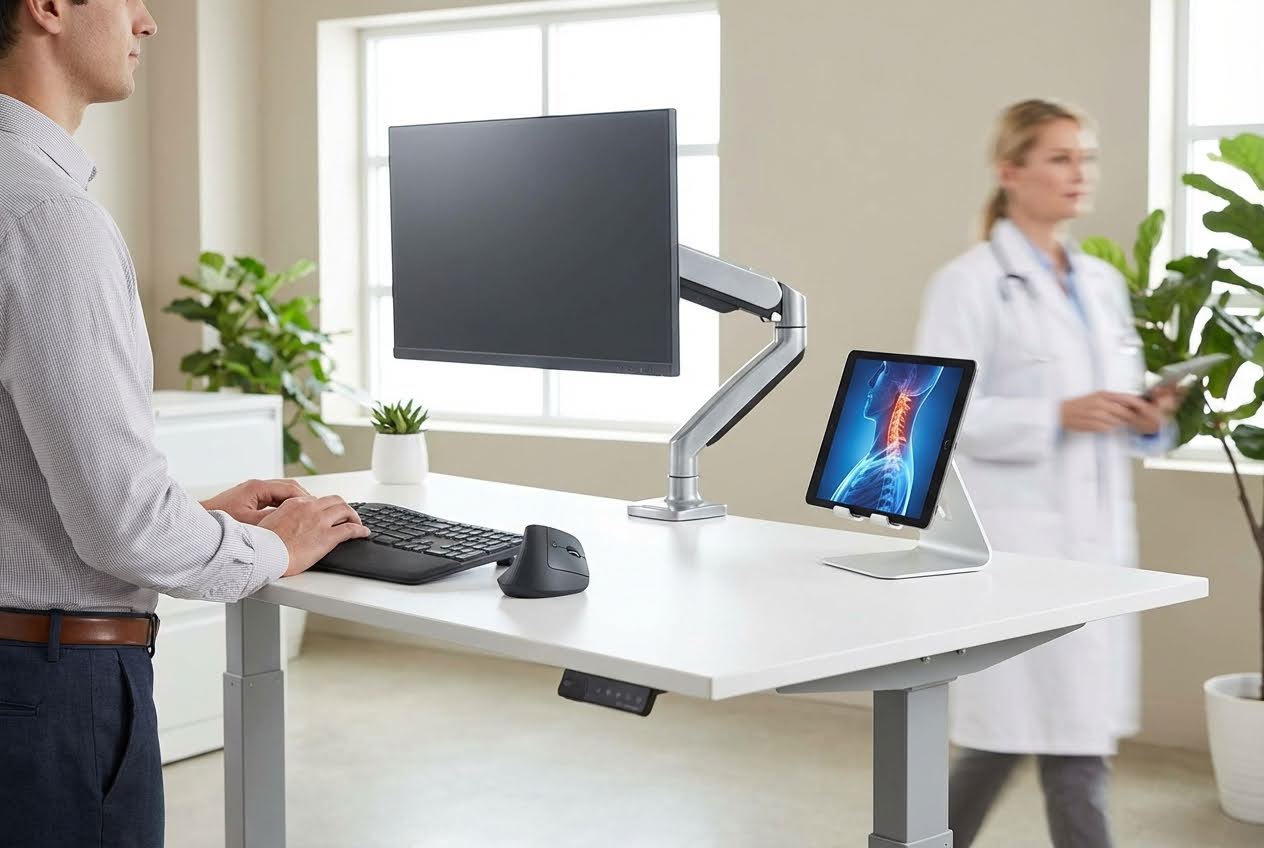 Optimizing the Visual Plane Beyond Eye Level
Most people place their monitors too close and too low. Your screen should sit at arm's length away - roughly 20 to 30 inches from your eyes. The top of your monitor should align with your natural eye level when sitting upright. This positioning keeps your gaze slightly downward without requiring neck flexion.
Screen distance affects more than comfort. When monitors sit too close, your eyes strain to focus, causing you to unconsciously lean forward. That lean initiates the entire tech neck cascade.
Dual monitors create a unique problem: constant head rotation. If you use both screens equally, center the gap between them directly in front of you. If one monitor serves as your primary display, center that one and angle the secondary screen toward your dominant eye.
Never place your secondary monitor too far to one side. The repeated rotation required to view it strains the muscles and joints on one side of your neck asymmetrically, creating imbalances that manifest as one-sided pain and stiffness.
Paper documents placed flat on your desk force your neck into flexion every time you reference them. A document holder positioned between your keyboard and monitor - or directly beside your screen at the same height - eliminates the need for repeated bending.
The investment is minimal, but the impact is significant. Every glance at a flat document adds to your daily neck flexion count. Over months and years, those glances accumulate into structural damage.
Your neck doesn't operate in isolation. Shoulder tension directly transfers to cervical strain. When your keyboard sits too high, your shoulders elevate. When your mouse sits too far away, your shoulder rounds forward. Both positions create tension that travels directly up into your neck.
Position your keyboard so your elbows bend at roughly 90 degrees with your shoulders relaxed. Your mouse should sit immediately beside your keyboard at the same height, requiring no reaching.
Standard keyboard feet that raise the back of your keyboard work against proper ergonomics. This positive tilt forces your wrists into extension and your shoulders into elevation. A negative tilt - where the keyboard angles slightly away from you - allows your wrists to remain neutral and your shoulders to drop.
Keyboard trays that provide this negative tilt often cost less than treating the resulting injuries. The position feels unusual at first, but becomes natural within days.
Static positioning causes damage regardless of how perfect your setup is. The recommendation is to lift your head and look up every 10-15 minutes to stretch your neck. Getting up to walk around, climb stairs, or move actively every 1 to 2 hours prevents tissue adaptation that leads to chronic pain.
Advice: change posture regularly and take breaks every 10 minutes to look away from devices and move your neck from side to side. These micro-movements prevent sustained loading, which causes tissue breakdown.
Standing desks help only when used correctly. The same monitor height and distance rules apply whether sitting or standing. Many people raise their desks but forget to raise their monitors proportionally, creating worse neck angles than their seated positions.
Alternate between sitting and standing throughout the day. Neither position should dominate. The goal is movement variety, not simply vertical positioning.
Mobile devices represent the greatest tech neck threat because they're designed to be held below eye level. Holding your phone at eye level feels awkward because it is - these devices weren't designed with neck health in mind.
Use phone stands that elevate your device when possible. Limit recreational screen time on handheld devices. When you must use your phone, bring it up toward your face rather than dropping your face toward it.
Remote workers face unique challenges. Laptop screens are designed to sit too low. External keyboards paired with laptop stands solve this problem by separating input from display. Portable monitor risers and tablet stands make ergonomic positioning possible anywhere.
Doctronic provides telehealth consultations for workers experiencing neck pain from poor mobile setups. Their doctors can assess your specific situation and recommend targeted interventions.
Ergonomic equipment means nothing without awareness. Your body adapts to whatever positions you hold most frequently. Conscious attention to your posture throughout the day matters more than any single piece of equipment.
Set hourly reminders to check your position. Notice when you've drifted forward. Build the habit of self-correction before problems develop. Prevention costs far less than treatment.
If neck pain has already developed, Doctronic offers free AI doctor visits that can help you understand your symptoms and determine next steps. Their telehealth video visits with licensed physicians are available 24/7 in all 50 states.
Take micro-breaks every 10-15 minutes to look away from your screen and move your neck. Stand up and move around every one to two hours for longer movement breaks.
The top of your monitor should align with your natural eye level when sitting upright. The screen should sit at arm's length away, roughly 20 to 30 inches from your eyes.
Standing desks help only when the monitor height and distance remain correct in the standing position. The benefit comes from alternating positions throughout the day, not from standing alone.
Phones force steeper neck angles. At 60 degrees of flexion — typical for phone viewing — your neck muscles fight against roughly 60 pounds of force compared to 10-12 pounds in the neutral position.
If you reference paper documents more than a few times a day, a document holder helps prevent cumulative strain. Every glance at flat documents adds to your daily neck flexion total.
Persistent pain lasting more than a few weeks, numbness or tingling in your arms, or headaches originating from your neck warrant professional evaluation.
Tech neck isn’t solved by an ergonomic chair alone - it requires optimizing monitor height, keyboard placement, device use, and building consistent micro-break habits. Small daily adjustments prevent long-term cervical strain and degeneration. If pain persists or worsens, doctronic.tech offers free AI doctor visits and 24/7 telehealth consultations to help you assess symptoms and plan next steps.
Meta Description: Learn about the 7 common and serious side effects of Airsupra and how to manage risks like oral thrush or heart issues through proper inhaler [...]
Read MoreMeta Description: Learn about 8 budesonide interactions and what to avoid when you’re taking budesonide, including grapefruit and common drugs, to ensure your treatment is [...]
Read MoreMeta Description: Learn about these 7 Xolair interactions and what to avoid when you’re taking Xolair to safely manage your asthma, chronic hives, or nasal polyp [...]
Read More